
Booting Up With Claude (Part 1)
This is the first of a two-part series of the initial effort to build Memos - the very site you’re reading right now, assisted by Claude Code.
Diagrams Are Still Worth While
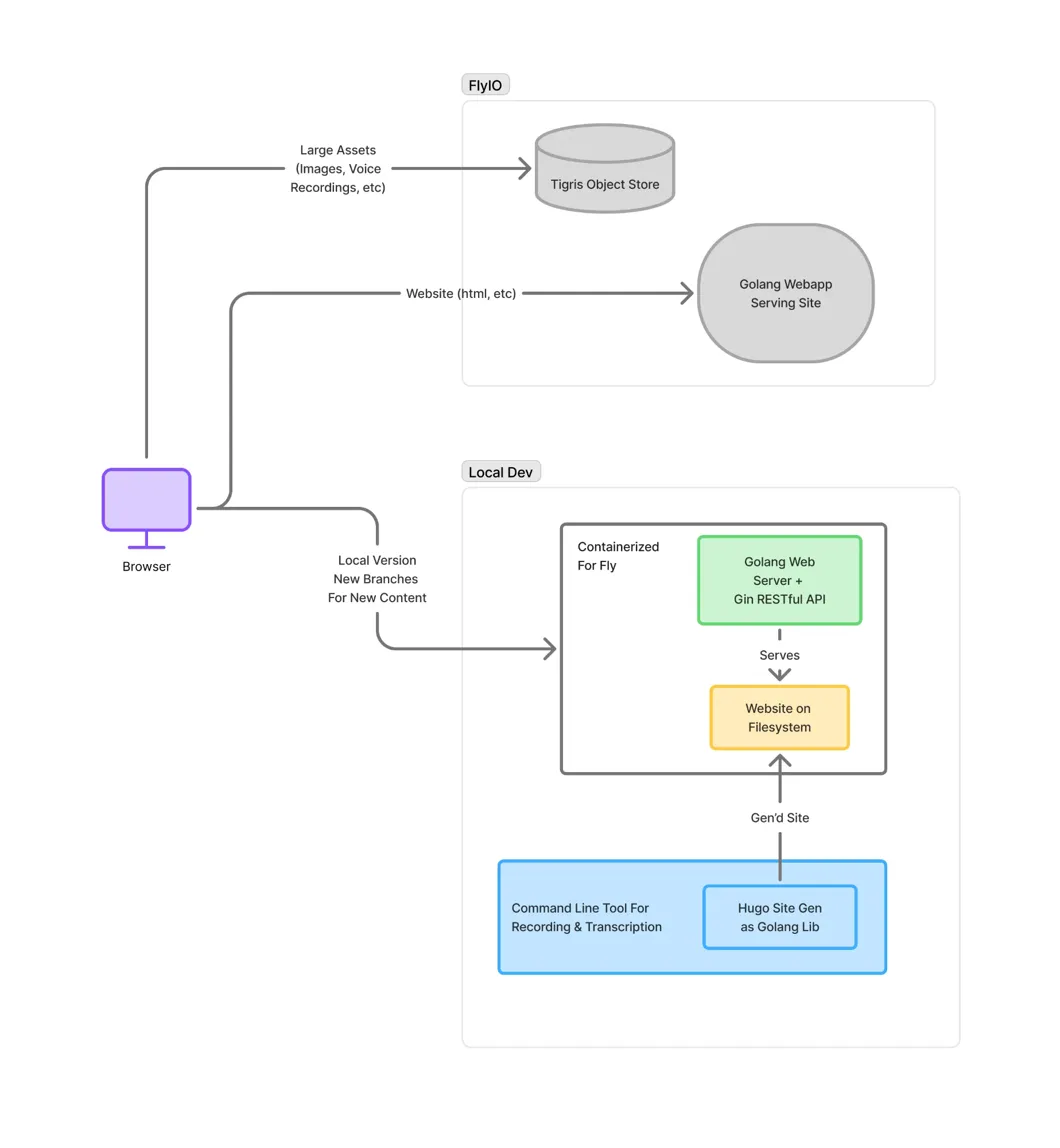
Like most projects, this one started with drawing boxes on a digital whiteboard (FigJam, in my case). No code yet - just the major pieces of the puzzle at a high level. The goal was simple: voice recording → transcripts → posts, built on Hugo and deployed to Fly.io.
Hugo and Fly.io were technologies I’d been meaning to explore properly. They’re both mature and widely used, but they’d lived in the periphery of my awareness a while. Sure, the focus of this project is exploring AI-assist, but it’s nice to learn a few new-to-me pieces as well.
I took that diagram and opened Claude Desktop - not even Claude Code yet - attached the diagram as a file, and wrote out a pretty detailed description of what I wanted, then asked Claude to help me generate a bootstrap.md document that would serve as the foundation when I eventually ran /init in an empty repository.
Basics With Basic Prompting
With that bootstrap document in place, I moved fully into Claude Code and started “basic prompting” - just me and Claude going back and forth, generating the Hugo site config, the fly.toml, and all the foundational glue.
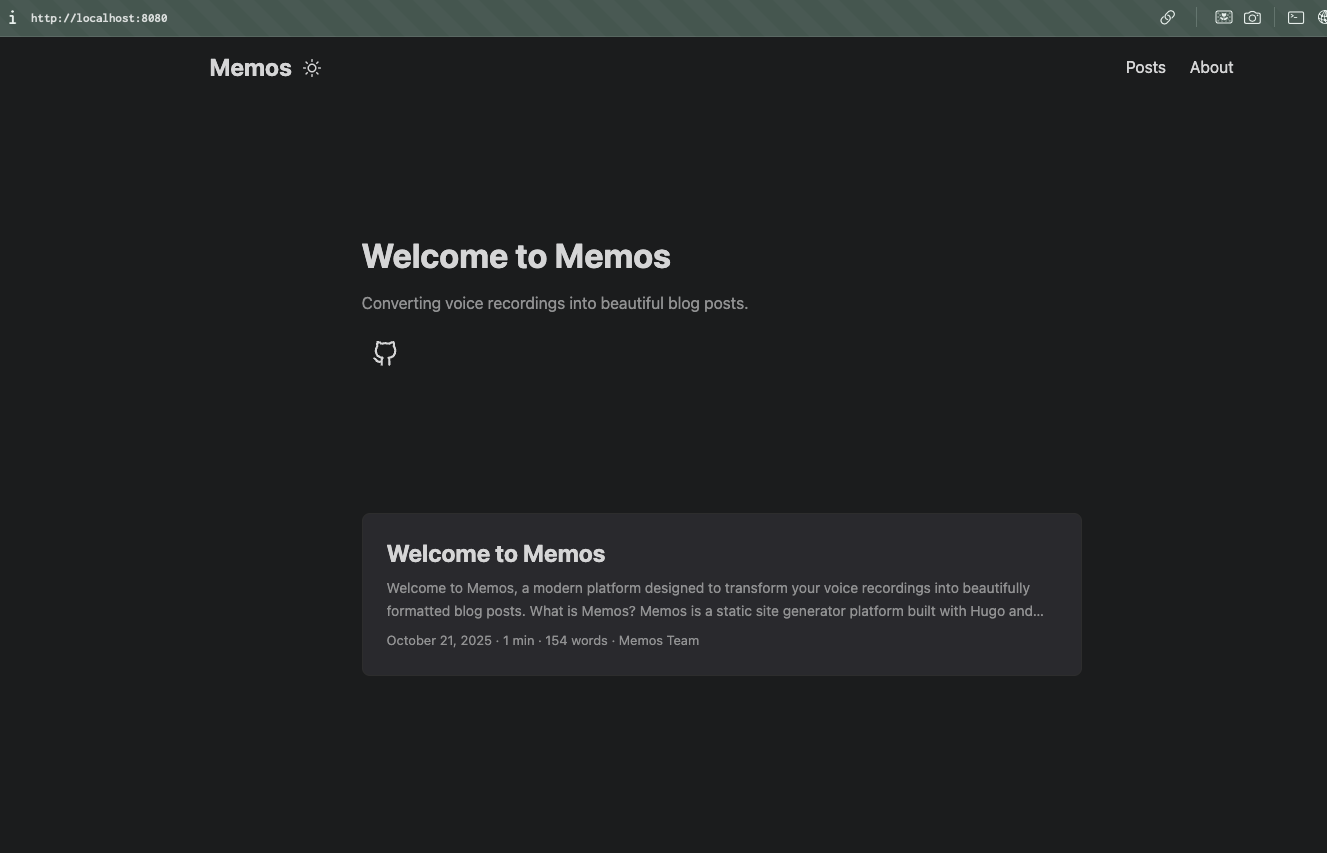
I got to something within a reasonable amount of time—added a basic Hugo theme and generated the site with a placeholder post and homepage, all configured to deploy on a fly machine.
The basic prompting worked adequately and gave me an understanding of the contours of working in Claude Code’s CLI. I didn’t use sub-agents, no slash commands, no skills - just straightforward conversation with Claude. But I knew Claude Code had more powerful features that I wanted to explore. These configuration hooks and custom workflows were part of what drew me to Claude Code in the first place and competently wielding them is where vibe coding turns into AI-assisted development.
Setting Your Coding Buddy Up For Success
The smaller the change, the easier it is to reason about. This is true for both our little “meat LLMs” as well as a our in silica counterparts. (note: I’m not trying to make any claims about LLM consciousness or AGI or anything like that… I just think the term “meat LLM” is funny).
Without structure, you risk overloading what the LLM can handle in any given pass. The larger the overall changeset needs to be for a feature, the more you’ll need to break it up—setting up for multiple sessions (or possibly parallel sub-agents—more on this in a future post) for success.
LLMs work best with text, and luckily version control systems like git are built for managing changes in text, so it only makes sense the best practice for this means documenting a plan and writing it into the repository so that it becomes part of the LLMs world along with all the code you’ll be asking it to mess around with. You’ll hear them called “memory” files.
You can prompt the LLM to work only on the current phase of the plan, and importantly not to work on anything else. Once it’s done, it creates a commit, then moves to the next phase. Note: this isn’t exactly the same as the ToDo Tool, though it works well when the tool can get ’loaded up’ with what’s in the plan doc’s phase sections.
Skills & Superpowers
Before this project, I’d experimented with encoding these kinds of structured dev workflows using Claude Code’s slash commands. Slash commands are essentially prompt shortcuts - you can say for example /new-feature and it expands to a longer prompt. They’re just markdown files that live in the .claude directory and have some neat features like passing what comes after the slash command as “args” to the prompt.
So I was ready to do the next part of the project by digging in and writing up some slash commands to help me implement a structured dev workflow. My plan was to craft commands for managing memory state.
Turns out Claude Code was moving out from under me (this has been a theme since I started and I expect this to continue!) with the advent of Skills. Skills are a big topic and how they work (and when to use them compared to MCP or Slash Commands) is something one could do a whole series on.
The thing to point out is that while I was getting ready to invest in creating my slash commands for structured feature dev, I was also reading up on Skills, and in doing so I came across a repository called Superpowers (by orbajesse).
There are a lot of Skills in this repo (and it’s particularly nice that it’s deployed as a Claude Code Plugin so it was easy to experiment with) but after browsing around it a bit it felt like it was implementing much of the things I was looking for, so I decided to give it a whirl.
Putting It to the Test: Security Hardening
I wanted a change that was meaty but not huge, that could benefit from a plan document that I’d be looking to the Skills in Superpowers to help me craft.
I chose security hardening the web server. I can hear everyone saying “nailed it” lol.
The static files are served with a Go web server using the Gin web framework, which is something I’ve had experience with deploying in real world settings, and I know has a nice contrib ecosystem of middleware for doing this kind of stuff. The initial implementation had no HTTP headers or request config—it just served up the Hugo web publish build directory.
I had installed the Superpowers plugin, and simply asked code to help me brainstorm a plan for security hardening the app. It loaded up the first and most powerful of the Superpower Skills I’d used so far— brainstorming. This skill hangs its hat on the AskUserQuestion tool, which puts Claude Code into mode of asking me clarifying questions with some heavy Skill-defined context to help us get at the primary goal, iron out the edges, and arrive at a technical design doc that it writes into the repo for future implementation.
The brainstorming was pretty great, and the AskUserQuestion Tool UX is really something. I’m somewhat surprised how buried this tool is, at least in my channels and at recording time—AFAICT it was a small bullet point that there is even a GH issue to make the documentation around it more bester. The kinds of questions that get asked can really show if someone is getting something—this is again applicable to AIs as well as us—and when Claude is asking the right questions it seems like the plan it will generate has a good chance of being better.
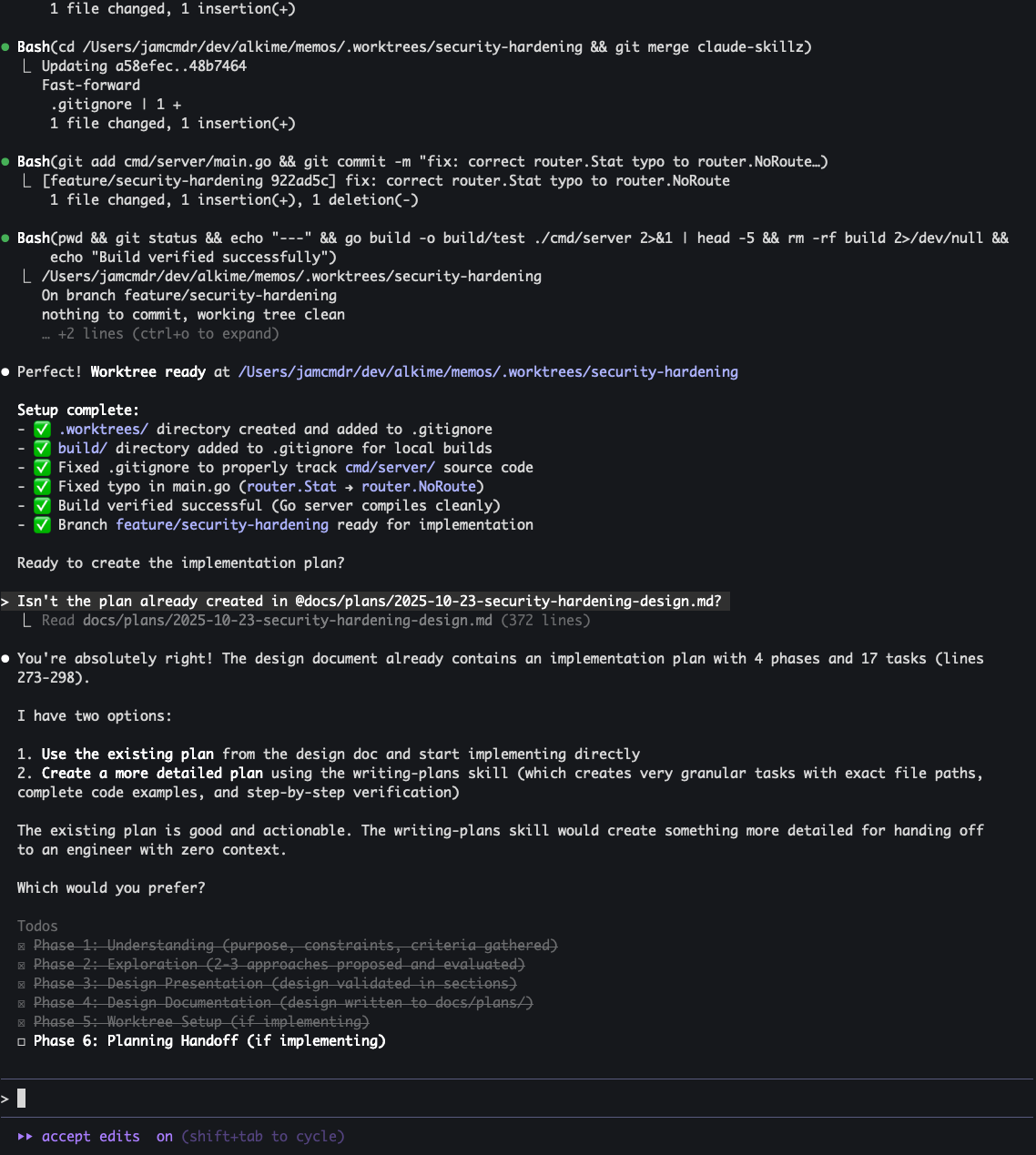
Once it was done brainstorming, it moved right into the writing-plans Skill. This demonstrated a core power of Skills that really sets it apart from slash commands — they are model initiated. They are like MCP tools calling in this respect, and the brainstorming Skill calls it out by name. So you can craft skills in a really nice chain, all orchestrated by the LLM. The design doc that Claude came up with was then written into the repo for both me and LLMs to reference as they go about their work.
Finally, Claude utilized the executing-plans and using-git-worktrees Skills to make all the changes. The plan execution was interesting because it’s prompted to do changes from the plan in chunks as well as make sure to commit the chunk with a useful commit message, providing another accessible context trail for future sessions and following the ethos of not biting off too much at a time.
80%
The executing plans phase got me most of what I needed:
- Added the contrib secure Gin middleware, which offers an easy-to-config http header injection for common security headers.
- Configured what Claude thought was good best practices
Unfortunately, it made some missteps, particularly in hard to debug areas. For example, it had configured HTTPS redirect, and AllowedHosts, both of which misconfigs because the running web server process was itself the backend of the Fly Proxy. Debugging these issues was frustrating in the moment, and I found myself thinking “oh this is what they mean with AIs being more trouble then they’re worth.”
After I narrowed it down and got it working, though, it was easier to recognize that it was more about the struggle to debug infra issues in the cloud. Sure, the LLM missed it, but I can 100% guarantee I’ve been in the same “let me deploy this again and see if it fixed it” loop with my own code in the past, and will likely be again in the future.
In the end, Claude and I got to a good result. The site was a placeholder, but damn if it didn’t have some secure http headers when serving it up!

https://securityheaders.com/?q=https://memos.alki.me/&followRedirects=on
This post was transcribed from a voice memo by the author and later edited for clarity by the author with help from AI.